
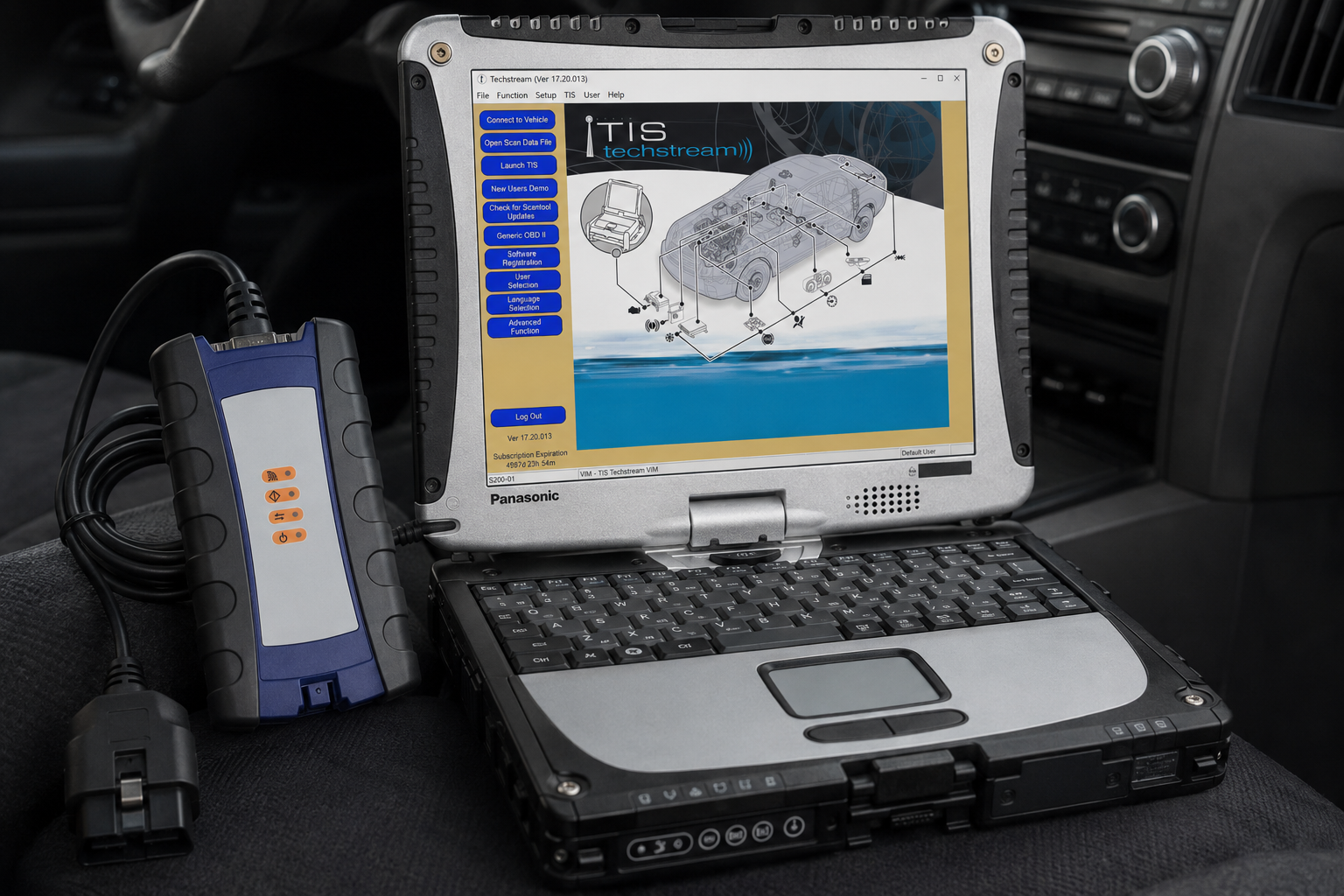
Toyota Techstream TIS Diagnostic Laptop Scanner
Pre-Installed and Ready to Use on a Panasonic Toughbook CF-19 with 8GB RAM
This Toyota Techstream diagnostic laptop package is a complete PC-based solution built for professional technicians, independent repair shops, mobile mechanics, fleet maintenance departments, and Toyota or Lexus specialists.
The included Panasonic Toughbook CF-19 is configured with Toyota Techstream diagnostic software and the required vehicle-interface drivers. The laptop and supplied diagnostic adapter are configured and tested together before shipping, helping eliminate the installation, driver, and communication problems commonly experienced when purchasing the software, laptop, and interface separately.
Toyota Techstream provides factory-level access to compatible Toyota, Lexus, and Scion electronic systems. It goes beyond a basic generic OBD-II scanner by providing manufacturer-specific trouble codes, live data, active tests, system initialization, customization, maintenance utilities, and supported ECU reprogramming functions.
Toyota officially states that Techstream supports DLC3/J1962-based diagnostic functions on compatible 1996 and newer Toyota, Lexus, and Scion vehicles marketed in North America. Coverage continues beyond 2018 and is not restricted to older vehicles. Exact functionality depends on the vehicle, model year, installed systems, Techstream software version, interface compatibility, and subscription access.
Compatible Vehicle Brands
Designed for compatible:
- Toyota
- Lexus
- Scion
- Toyota hybrid vehicles
- Toyota plug-in hybrid vehicles
- Toyota battery-electric vehicles
- Toyota pickup trucks and SUVs
The supplied material also describes Techstream as providing direct access to vehicle control modules, live data, manufacturer-specific DTCs, actuator testing, initialization procedures, and ECU programming functions.
Compatible Toyota Models May Include
Toyota Cars and Performance Vehicles
- 86
- Avalon
- Camry
- Celica
- Corolla
- Corolla Hatchback
- Crown
- Echo
- GR86
- GR Corolla
- GR Supra
- Matrix
- Mirai
- MR2
- Paseo
- Prius
- Prius c
- Prius Prime
- Prius v
- Solara
- Supra
- Tercel
- Yaris
- Yaris iA
Toyota SUVs and Crossovers
- 4Runner
- bZ4X
- C-HR
- Corolla Cross
- FJ Cruiser
- Grand Highlander
- Highlander
- Land Cruiser
- RAV4
- RAV4 Prime
- Sequoia
- Venza
Toyota Pickup Trucks
- Tacoma
- T100
- Tundra
Toyota Vans
- Previa
- Sienna
Compatible Lexus Models May Include
- CT
- ES
- GS
- GX
- HS
- IS
- LC
- LFA
- LS
- LX
- NX
- RC
- RX
- RZ
- SC
- TX
- UX
Compatible Scion Models May Include
- FR-S
- iA
- iM
- iQ
- tC
- xA
- xB
- xD
Complete Vehicle Health Check
Techstream can perform a complete Health Check of the electronic control systems available on a compatible vehicle.
The Health Check function may provide:
- Automatic vehicle identification
- Manual vehicle selection
- Complete system scanning
- Current diagnostic trouble codes
- Pending trouble codes
- History or stored trouble codes
- ECU communication status
- ECU identification information
- Calibration identification numbers
- Monitor-status information
- Vehicle status reports
- Trouble-code clearing
- Printable diagnostic results
Toyota describes Techstream as providing fast access to available vehicle systems and a one-touch vehicle status or Health Check report.
Manufacturer-Specific Trouble Codes
Unlike basic OBD-II readers that primarily access emissions-related engine codes, Techstream can communicate with compatible Toyota-specific control modules.
Diagnostic functions may include:
- Read current trouble codes
- Read pending trouble codes
- Read stored and historical codes
- Display manufacturer-specific code descriptions
- View freeze-frame data
- Clear trouble codes after repairs
- Check whether faults return
- Identify modules that are not communicating
- View ECU part numbers and calibration IDs
- Diagnose CAN-network communication problems
Electronic System Coverage
Depending on the vehicle, Techstream may access:
- Engine control module
- Transmission control module
- Hybrid vehicle control ECU
- Electric vehicle control systems
- High-voltage battery ECU
- Charging-control systems
- ABS and brake-control system
- Vehicle Stability Control
- Traction-control system
- Airbag and supplemental restraint system
- Body control module
- Combination meter and instrument cluster
- Immobilizer system
- Smart-key system
- Tire-pressure monitoring system
- Electric power steering
- Four-wheel-drive system
- Air-conditioning and climate-control system
- Adaptive cruise-control system
- Pre-collision system
- Lane-departure and driver-assistance systems
- Blind-spot monitoring
- Parking-assistance systems
- Navigation and multimedia systems
- Power sliding-door system
- Power liftgate system
- Seat and mirror control modules
- Additional body, chassis, safety, and convenience modules
Available systems depend on how the vehicle is equipped.
Live Data Monitoring
Techstream can display manufacturer-specific live data directly from compatible sensors, switches, actuators, and control modules.
Live data may include:
- Engine speed
- Coolant temperature
- Intake-air temperature
- Mass airflow
- Manifold pressure
- Fuel pressure
- Short-term fuel trim
- Long-term fuel trim
- Oxygen-sensor information
- Air-fuel ratio sensor data
- Accelerator-pedal position
- Electronic throttle position
- Ignition timing
- Transmission temperature
- Selected gear
- Shift-solenoid status
- Individual wheel speeds
- Steering-angle information
- Brake-switch status
- Battery voltage
- Charging-system data
- Hybrid battery state of charge
- Hybrid battery block voltages
- Hybrid battery temperatures
- Inverter and converter information
- Electric-motor operating data
- Air-conditioning requests
- Tire-pressure information
- Additional Toyota-specific parameters
The supplied source also identifies high-resolution data monitoring and manufacturer-specific engine, transmission, ABS, airbag, and hybrid-system information as key Techstream capabilities.
Data Recording and Graphing
Techstream can help technicians diagnose intermittent problems by recording and reviewing vehicle data.
Depending on the vehicle and software version, technicians may be able to:
- Select specific data parameters
- Display multiple values simultaneously
- Graph live sensor information
- Record vehicle data during a road test
- Save diagnostic sessions
- Replay recorded information
- Compare related sensor values
- Generate diagnostic reports
- Review changing conditions before and after a fault occurs
Active Tests and Bi-Directional Controls
Techstream provides bi-directional control of supported vehicle components. This allows a technician to command a component from the laptop and verify its operation without manually activating it.
Available Active Tests may include:
- Turn cooling fans on and off
- Command fuel injectors
- Operate the fuel pump
- Control relays
- Activate warning lights
- Operate solenoids
- Command the electronic throttle
- Test EVAP-system components
- Activate transmission solenoids
- Operate ABS components
- Test brake actuators
- Control air-conditioning components
- Operate door locks
- Test power windows
- Test exterior and interior lighting
- Operate power seats
- Test power sliding doors
- Operate the power liftgate
- Test hybrid battery cooling fans
- Command electric water pumps
- Test additional vehicle outputs
The exact Active Tests are determined by the selected vehicle and control module.
Maintenance and Service Functions
Techstream provides manufacturer-specific Utility and Work Support procedures for maintenance, component replacement, calibration, and system initialization.
Supported functions may include:
- Engine oil-maintenance reset
- Maintenance reminder reset
- Electronic throttle initialization
- Idle relearn
- Accelerator-pedal initialization
- Transmission initialization
- Automatic transmission learning
- CVT initialization
- Steering-angle sensor calibration
- Zero-point calibration
- Yaw-rate sensor calibration
- ABS actuator bleeding
- Brake-system air bleeding
- Linear solenoid calibration
- Electronic parking-brake service
- Tire-pressure sensor registration
- Tire-position registration
- Battery registration
- Injector compensation coding
- Diesel injector learning
- Fuel-system service procedures
- Diesel particulate filter regeneration
- DPF differential-pressure reset
- Occupant-classification calibration
- Airbag-system initialization
- Power-window initialization
- Moonroof initialization
- Power sliding-door initialization
- Power liftgate initialization
- Radar and camera calibration support
- Module replacement procedures
- Vehicle-option configuration
Not every procedure is available on every vehicle.
Toyota Hybrid and Electric Vehicle Diagnostics
Techstream provides access to many Toyota and Lexus hybrid and electric-vehicle systems that generic scan tools may not support.
Hybrid and EV functions may include:
- Hybrid control-system diagnosis
- High-voltage battery trouble codes
- Individual battery-block voltage data
- Battery temperature data
- Battery state-of-charge information
- Hybrid battery cooling-fan operation
- Inverter and converter diagnosis
- Motor-generator information
- Isolation fault information
- Electric water-pump testing
- Charging-system diagnosis
- Plug-in charging information
- EV battery condition data
- Hybrid-system active tests
- Hybrid brake-system service functions
High-voltage systems should only be serviced by technicians with appropriate hybrid or EV training.
Vehicle Customization
Techstream can modify supported vehicle personalization settings when those options are provided by the vehicle.
Customization options may include:
- Automatic door locking
- Automatic door unlocking
- Remote-lock confirmation
- Smart-key operation
- Passive-entry settings
- Interior-light timing
- Headlight delay
- Daytime running-light preferences
- Power-window operation
- Wireless window control
- Wiper settings
- Climate-control settings
- Seat-belt warning preferences
- Theft-deterrent settings
- Power liftgate settings
- Power sliding-door settings
- Mirror settings
- Additional convenience features
Only options programmed into the vehicle by the manufacturer can be changed.
ECU Programming and Reprogramming
Toyota confirms that compatible Toyota, Lexus, and Scion ECUs can be reprogrammed through Techstream when an applicable calibration update is available. Calibration updates are generally identified in Toyota Technical Service Bulletins.
Supported reprogramming procedures may include:
- Engine-control-module calibration updates
- Transmission-control-module updates
- Hybrid-control ECU updates
- Brake-control ECU updates
- Body and chassis ECU updates
- Replacement-module programming
- Calibration-file installation
- Software updates specified by Toyota service bulletins
Official calibration-file downloads require an active Toyota TIS Professional Diagnostic subscription. The Techstream Calibration Update Wizard is installed with the official Techstream software package.
Immobilizer and Smart-Key Functions
With the proper subscription, credentials, authorization, and compatible vehicle interface, Techstream may support security-related procedures such as:
- Registering additional keys
- Smart-key registration
- Erasing lost-key information
- Immobilizer reset
- Smart-code reset
- Replacement ECU registration
- Replacement body ECU registration
- Key-code retrieval
- Immobilizer synchronization
Toyota places key-code and immobilizer or smart-reset access under its Security Professional subscription. Some security services require approved Vehicle Security Professional credentials, and vehicle security information is restricted by region and authorization.
Security subscriptions, key codes, credentials, and locksmith authorization are not included with this package unless specifically stated.
Toyota TIS Access
Toyota’s Technical Information System, known as TIS, is Toyota’s official service-information platform for North American Toyota, Lexus, and Scion vehicles.
Depending on the subscription level, TIS may provide:
- Repair manuals
- Electrical wiring diagrams
- Technical Service Bulletins
- Diagnostic procedures
- Component locations
- Removal and installation instructions
- Torque specifications
- Technical training materials
- ECU calibration files
- Techstream software access
- Security information for authorized users
A Toyota TIS subscription is separate from the laptop and diagnostic-interface package. Toyota states that a Professional Diagnostic subscription enables Techstream software and available ECU calibration files, while Security Professional access adds eligible key-code and immobilizer functions.
Vehicle Diagnostic Interface
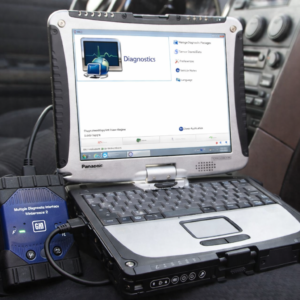
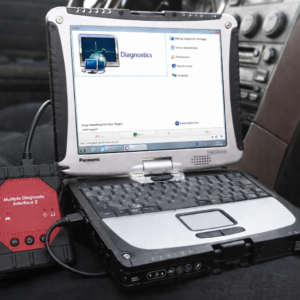
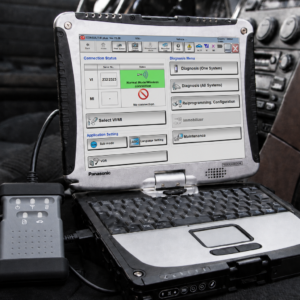
The included blue-and-black diagnostic interface provides the communication link between the vehicle and the Panasonic Toughbook.
The interface:
- Connects to the vehicle diagnostic port
- Connects to the laptop through USB
- Transfers diagnostic information between the vehicle and Techstream
- Supports compatible manufacturer-specific communication protocols
- Supports system scanning where compatible
- Supports live-data monitoring where compatible
- Supports active testing where compatible
- Supports maintenance and initialization procedures where compatible
Important interface notice: Toyota recommends using Toyota-validated interface hardware for official diagnostic and reprogramming operations. Toyota also notes that a generic approved J2534 device may support ECU reprogramming but does not automatically provide all Techstream scan-tool diagnostic functions. Full functionality depends on the interface, firmware, drivers, software version, and vehicle.
Why Choose the Complete Laptop Package?
Purchasing a diagnostic adapter or software separately can lead to:
- Incorrect drivers
- Interface-detection problems
- Communication errors
- Windows compatibility issues
- Software installation problems
- Incorrect interface settings
- Missing communication components
This complete package helps eliminate those initial difficulties.
✔ Toyota Techstream software installed
✔ Vehicle-interface drivers configured
✔ Laptop and adapter tested together
✔ Rugged Panasonic Toughbook included
✔ USB diagnostic connection
✔ Ready for initial vehicle diagnostics
✔ No need to assemble separate hardware components
Panasonic Toughbook CF-19 Specifications
Panasonic Toughbook CF-19 — Refurbished/Used
- Processor: Intel Core i5
- Memory: 8GB RAM
- Display: 10.4-inch touchscreen
- Screen: Sunlight-readable
- Design: Convertible laptop and tablet
- Construction: Fully rugged
- Condition: Refurbished or used
- Functionality: Fully tested
- Diagnostic software: Toyota Techstream installed
- Intended use: Automotive shops, fleets, field service, and mobile diagnostics
The Toughbook may show normal cosmetic wear from previous use, including scratches, scuffs, marks, or worn surfaces. Cosmetic wear does not affect its tested functionality.
Package Contents
✔ 1 × Panasonic Toughbook CF-19
✔ 1 × Blue-and-black vehicle diagnostic interface
✔ 1 × Vehicle diagnostic cable
✔ 1 × USB communication cable
✔ 1 × Compatible Toughbook AC charger
✔ Toyota Techstream diagnostic software configuration
✔ Required vehicle-interface drivers
Important Programming Notice
ECU programming should only be performed by trained technicians.
Toyota warns that interrupting a flash procedure can permanently damage the vehicle controller. During programming:
- Use a regulated vehicle battery-maintenance power supply
- Keep the Toughbook connected to AC power
- Disable sleep and hibernation
- Do not disconnect the diagnostic interface
- Do not disconnect the USB cable
- Do not switch the ignition off unless instructed
- Follow the applicable Toyota Technical Service Bulletin
- Confirm the correct calibration before programming
Toyota specifically warns that reprogramming must not be interrupted and that the interface and computer must remain connected and powered throughout the procedure.
Additional Important Notes
- Coverage is not limited to 2018 and older vehicles.
- Techstream supports compatible 1996-and-newer North American Toyota, Lexus, and Scion vehicles.
- Periodic software updates may be required for newer models.
- Exact functions vary by vehicle, model year, ECU, and equipment level.
- Toyota TIS subscriptions are not included unless specifically stated.
- Calibration files are not included unless specifically stated.
- Security credentials and key codes are not included.
- Some newer or specialty vehicles may require additional hardware or cables.
- The 2020 Toyota GR Supra requires additional diagnostic hardware according to Toyota.
- Do not use unsupported programming procedures.
- This equipment is intended for professional automotive use.
- Toyota, Lexus, Scion, Techstream, and TIS names are used only to describe compatibility.
- This package is not manufactured, sponsored, or endorsed by Toyota Motor Corporation.
Complete Toyota, Lexus and Scion Diagnostic Solution
This Toyota Techstream TIS diagnostic package combines a rugged Panasonic Toughbook, professionally configured diagnostic software, a vehicle communication interface, and the necessary connection cables in one convenient system.
Connect the interface to the vehicle, connect it to the Toughbook, launch Techstream, identify the vehicle, and begin performing compatible system scans, trouble-code diagnostics, live-data monitoring, active tests, maintenance procedures, vehicle customization, calibration, and supported ECU service functions.