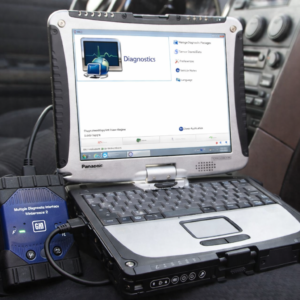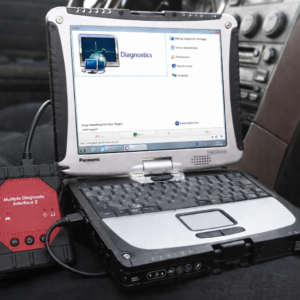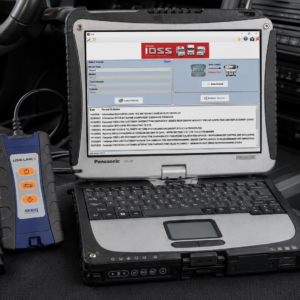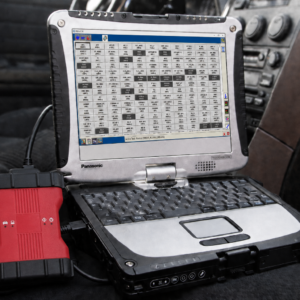

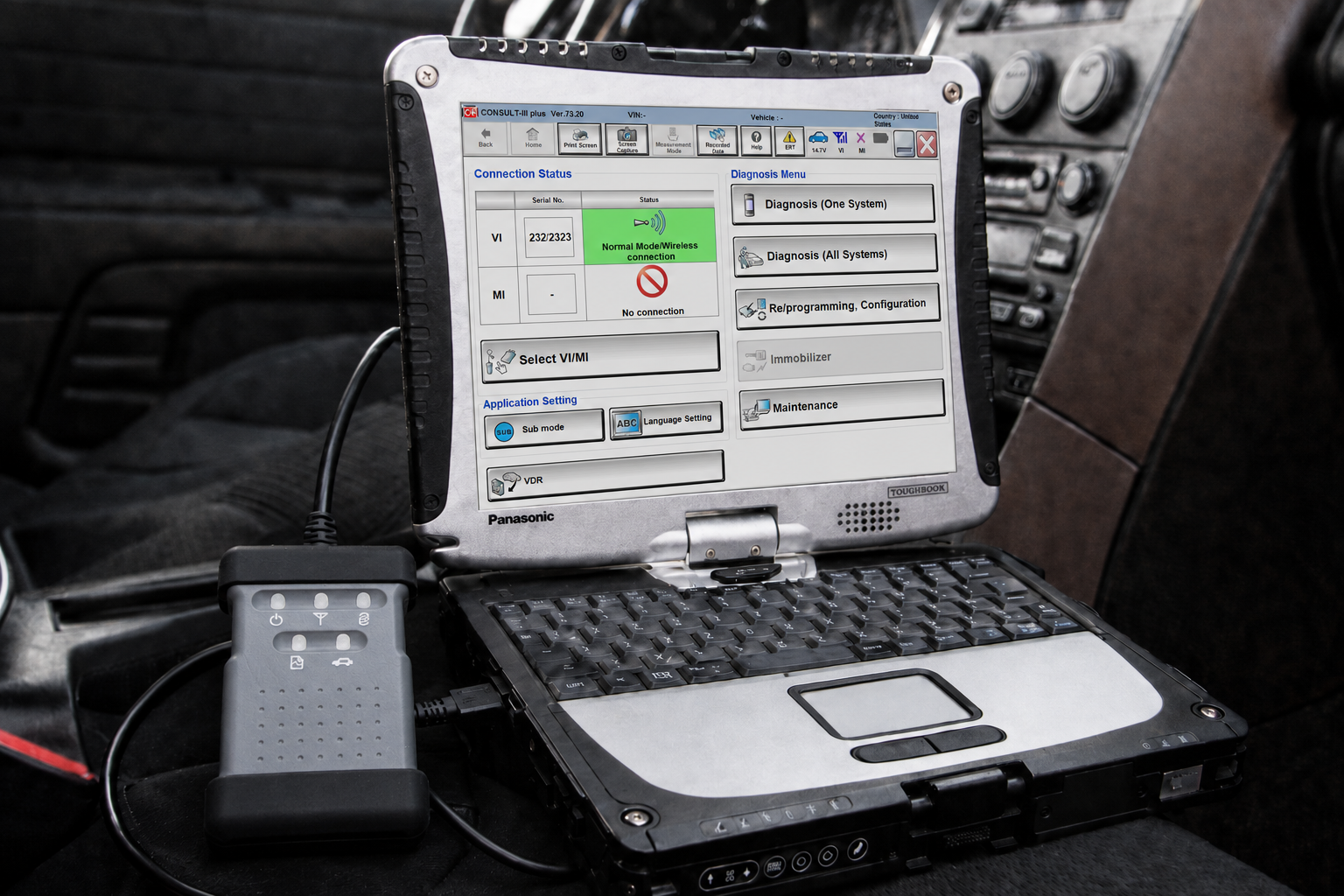
Nissan CONSULT-III Plus PC Diagnostic Laptop Scanner
Pre-Installed and Ready to Use on a Panasonic Toughbook CF-19 with 8GB RAM
This Nissan CONSULT-III Plus diagnostic package is a complete PC-based diagnostic solution designed for professional technicians, automotive repair shops, mobile mechanics, and Nissan or INFINITI specialists.
The included Panasonic Toughbook CF-19 is configured with Nissan CONSULT-III Plus diagnostic software and the required Vehicle Interface communication drivers. The laptop and diagnostic adapter are tested together before shipping, providing a convenient system that is ready for initial vehicle diagnostics upon arrival.
CONSULT-III Plus is Nissan’s professional electronic diagnostic platform for diagnosing and servicing the electronic control systems installed in Nissan and INFINITI vehicles.
Vehicle Compatibility Notice
CONSULT-III Plus provides diagnostic and programming support for most compatible Nissan and INFINITI vehicles from the 1995 model year onward.
A limited number of older vehicles covered by Nissan bulletin NTB06-040 require the older CONSULT-II system instead. Nissan also uses the newer CONSULT 4 platform for certain recently introduced models, so CONSULT-III Plus alone may not support every function on every current Nissan or INFINITI vehicle.
Compatible brands may include:
- Nissan
- INFINITI
- Select Nissan commercial vehicles
- Select Nissan electric and hybrid vehicles
- Select Renault-Samsung or other Nissan-related platforms, depending on regional software support
Exact coverage depends on the model, year, market, engine, installed control modules, software version, and Vehicle Interface being used.
For coverage of a particular vehicle or function, provide the VIN before ordering.
Why Choose the Complete Laptop Package?
Purchasing diagnostic software or a Vehicle Interface separately can result in installation, driver, configuration, and communication problems.
This complete package helps eliminate those initial setup difficulties.
✔ CONSULT-III Plus software installed
✔ Vehicle Interface communication drivers configured
✔ Laptop and diagnostic adapter tested together
✔ Wired diagnostic connection supported
✔ Wireless communication supported when available
✔ Rugged Panasonic Toughbook included
✔ Ready for initial diagnostics upon arrival
The system is designed to provide a convenient alternative to sourcing and configuring each component separately.
Installed Diagnostic Software
The laptop includes:
- Nissan CONSULT-III Plus diagnostic software
- Nissan Vehicle Interface communication software
- Required interface drivers
- Vehicle identification functions
- Diagnostic and maintenance menus
- Reprogramming and configuration menus where supported
Software platform: CONSULT-III Plus
System status: Installed, configured, and tested
Computer: Panasonic Toughbook CF-19
Memory: 8GB RAM
Connection methods: USB and supported wireless communication
Software versions may vary as diagnostic updates are released.
Nissan states that CONSULT-III Plus is updated periodically to add vehicle support and software corrections. Installing updates, accessing Nissan servers, downloading programming files, and using certain online functions may require a valid Nissan TechInfo subscription.
Complete Vehicle System Scan
CONSULT-III Plus can perform an all-system diagnostic scan of compatible vehicle control modules.
Available functions may include:
- Automatic VIN identification
- Manual vehicle selection
- Complete system scanning
- All-DTC reading
- Current fault-code detection
- Stored or past fault-code detection
- Diagnostic trouble-code clearing
- Module communication status
- ECU part-number identification
- Network DTC inspection
- CAN communication diagnosis
- Diagnostic status reports
- Print-screen and screen-capture functions
The software displays whether each supported system has a current error, past error, normal condition, communication problem, or has not yet been diagnosed.
Individual System Diagnosis
Technicians can select and diagnose individual vehicle systems instead of scanning the entire vehicle.
Supported systems may include:
- Engine control module
- Transmission control module
- ABS and brake-control system
- Airbag and supplemental restraint system
- Body control module
- Intelligent Power Distribution Module
- Instrument cluster
- Steering-control systems
- Four-wheel-drive system
- HVAC and climate-control system
- Tire-pressure monitoring system
- Intelligent key system
- Immobilizer system
- Parking-assistance system
- Around View Monitor
- Audio and navigation systems
- Electric power-steering system
- Hybrid vehicle control systems
- Electric vehicle control systems
- Lithium-ion battery systems
- Charging-control systems
- Additional body and chassis modules
Available systems vary according to the vehicle.
Read and Clear Diagnostic Trouble Codes
CONSULT-III Plus can communicate directly with compatible electronic control modules to:
- Read current diagnostic trouble codes
- Read stored or historical trouble codes
- Display fault-code descriptions
- Clear diagnostic trouble codes
- Check whether a fault returns
- View freeze-frame or related diagnostic information when supported
- Identify modules that are not communicating
- View ECU identification and part-number data
Live Data Monitoring
The system can display real-time information from compatible sensors, switches, actuators, and control modules.
Live-data functions may include:
- Engine speed
- Coolant temperature
- Intake-air temperature
- Fuel pressure
- Fuel trims
- Oxygen and air-fuel sensor readings
- Accelerator-pedal position
- Throttle position
- Transmission temperature
- Selected gear
- Wheel-speed information
- Battery voltage
- Charging-system data
- Steering-angle information
- Brake-switch status
- Air-conditioning requests
- Hybrid-system data
- Electric-vehicle battery information
- Additional manufacturer-specific data
Technicians can select individual data items, record diagnostic data, and review saved information.
Active Tests and Bi-Directional Controls
CONSULT-III Plus supports active testing of compatible vehicle components.
Available active tests may include:
- Operate cooling fans
- Command fuel injectors
- Control fuel pump operation
- Activate relays
- Operate solenoids
- Command electronic throttle functions
- Activate warning lamps
- Test air-conditioning components
- Operate door locks
- Test vehicle lighting
- Control transmission components
- Test ABS components
- Operate EVAP-system components
- Activate additional vehicle outputs
Active-test availability varies by system and vehicle.
Work Support and Service Functions
The Work Support menu provides guided maintenance, adjustment, registration, and relearn procedures.
Supported procedures may include:
- Throttle Valve Closed Position Learning
- Idle Air Volume Learning
- Accelerator Pedal Released Position Learning
- Steering-angle sensor calibration
- CVT fluid-deterioration reset
- Transmission learning procedures
- Battery registration
- Battery ID reading
- Tire-pressure sensor registration
- ABS actuator procedures
- Brake bleeding support
- Fuel-pressure release
- Injector adjustment or registration
- Diesel particulate filter service procedures
- Diesel particulate filter regeneration
- Maintenance reminder reset
- Air-fuel ratio learning
- Door and window initialization
- Before-replacement procedures
- After-replacement procedures
- Module setup and registration
- Additional model-specific service functions
The available procedures are determined by the selected vehicle and control module.
ECU Programming and Reprogramming
CONSULT-III Plus supports ECU programming and reprogramming on compatible Nissan and INFINITI vehicles.
Nissan states that CONSULT-III Plus supports ECU reprogramming on applicable 1999 model year and newer vehicles. It can also program certain replacement control modules that are supplied blank and do not contain the required vehicle software.
Programming capabilities may include:
- ECU reprogramming
- Calibration-file installation
- Blank ECU programming
- Replacement-module programming
- Save-and-write programming
- ECU program-data backup
- ECU program-data restoration
- VIN writing where supported
- TCM programming
- ECM programming
- Configuration after module replacement
Programming files, calibration downloads, Nissan subscriptions, and manufacturer credentials are not included unless specifically stated.
A stable power supply must be connected to the vehicle while programming. Nissan warns that interrupted communication or insufficient battery voltage can damage ECU software and may make a module unusable.
Module Configuration
The Re/programming and Configuration section can be used to configure compatible replacement modules.
Configuration functions may include:
- Read existing ECU configuration
- Save ECU setting information
- Write saved configuration to a replacement module
- Automatic configuration
- Manual configuration
- Vehicle-option configuration
- VIN entry
- Type-ID selection
- Before-replacement data backup
- After-replacement data restoration
Incorrect configuration information can cause a control module or vehicle system to operate improperly. The correct Nissan service information should always be followed.
Immobilizer and Intelligent Key Functions
With the appropriate authorized access, CONSULT-III Plus may support:
- Intelligent key registration
- Additional key registration
- Immobilizer initialization
- Replacement BCM procedures
- Replacement ECM procedures
- Steering-lock registration
- Key-ID registration
- Erasing lost-key information
- Security-system diagnosis
Important: Immobilizer and security functions are restricted. Nissan requires an authorized user account with immobilizer authority for applicable procedures. Offline access or standard diagnostic subscriptions may not provide immobilizer functionality.
Security credentials and locksmith authorization are not included.
Maintenance Functions
The Maintenance section may provide access to:
- Maintenance reminder settings
- Oil-service reset
- Tire-service information
- Battery information
- Vehicle-specific inspection procedures
- Electric-vehicle battery reports
- System checks following repairs
- Additional Nissan maintenance operations
Function availability depends on the vehicle.
Nissan Vehicle Interface
The gray Nissan-style Vehicle Interface acts as the communication bridge between the vehicle and the Panasonic Toughbook.
The interface:
- Connects to the vehicle’s diagnostic connector
- Communicates with CONSULT-III Plus
- Transfers diagnostic data between the vehicle and laptop
- Supports system scanning
- Supports live-data monitoring
- Supports active tests
- Supports service procedures
- Supports programming where compatible
- May connect through USB or supported wireless communication
For programming and other critical procedures, a wired connection is recommended whenever supported.
Nissan’s currently published information specifies approved VI2 or VI3 hardware for its official CONSULT-III Plus software. Compatibility of other interface versions depends on their hardware, drivers, firmware, and software configuration.
Panasonic Toughbook CF-19 Specifications
Panasonic Toughbook CF-19 — Refurbished/Used
- Processor: Intel Core i5
- Memory: 8GB RAM
- Display: 10.4-inch touchscreen
- Screen: Sunlight-readable
- Construction: Fully rugged
- Design: Convertible laptop and tablet
- Condition: Refurbished or used
- Testing: Fully tested and operational
- Diagnostic software: CONSULT-III Plus installed
- Intended use: Repair shops, fleets, mobile mechanics, and professional technicians
The Toughbook may show normal cosmetic wear, including scratches, scuffs, marks, or signs of previous use. Cosmetic wear does not affect its tested operation.
Package Contents
✔ 1 × Nissan-style Vehicle Interface diagnostic adapter
✔ 1 × Vehicle diagnostic cable
✔ 1 × USB communication cable
✔ 1 × Panasonic Toughbook CF-19
✔ 1 × Compatible Toughbook AC charger
✔ CONSULT-III Plus diagnostic software configuration
✔ Required Vehicle Interface drivers
Important Notes
- This package is intended for professional diagnostic and repair use.
- Coverage varies by vehicle, model year, engine, market, and control module.
- CONSULT-III Plus does not provide every function on every Nissan or INFINITI vehicle.
- Some recently introduced vehicles require CONSULT 4 instead of CONSULT-III Plus.
- Some older vehicles may require CONSULT-II.
- Online programming requires appropriate Nissan access, files, and subscriptions.
- Immobilizer functions require authorized security credentials.
- Programming files and Nissan subscriptions are not included unless specifically stated.
- Use a vehicle battery-maintenance power supply during programming.
- Do not disconnect the adapter, laptop charger, USB cable, or vehicle battery while programming.
- Vehicle and brand names are used only to identify compatibility. This package is not manufactured, sponsored, or endorsed by Nissan Motor Co., Ltd. or INFINITI.
Complete Nissan and INFINITI Diagnostic Package
This Nissan CONSULT-III Plus laptop package combines a rugged Panasonic Toughbook, a compatible Vehicle Interface, communication cables, and professionally configured diagnostic software in one convenient system.
Connect the diagnostic adapter to the vehicle, connect it to the Toughbook, open CONSULT-III Plus, identify the vehicle, and begin diagnosing compatible Nissan and INFINITI electronic systems.