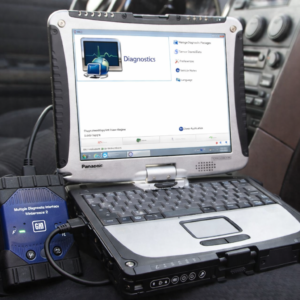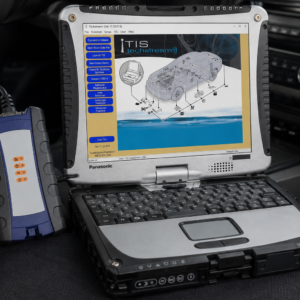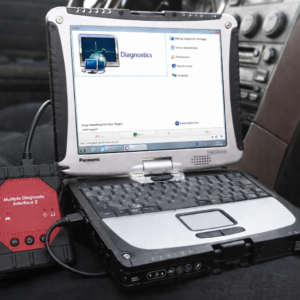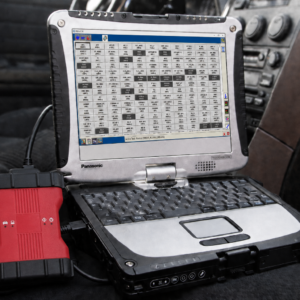

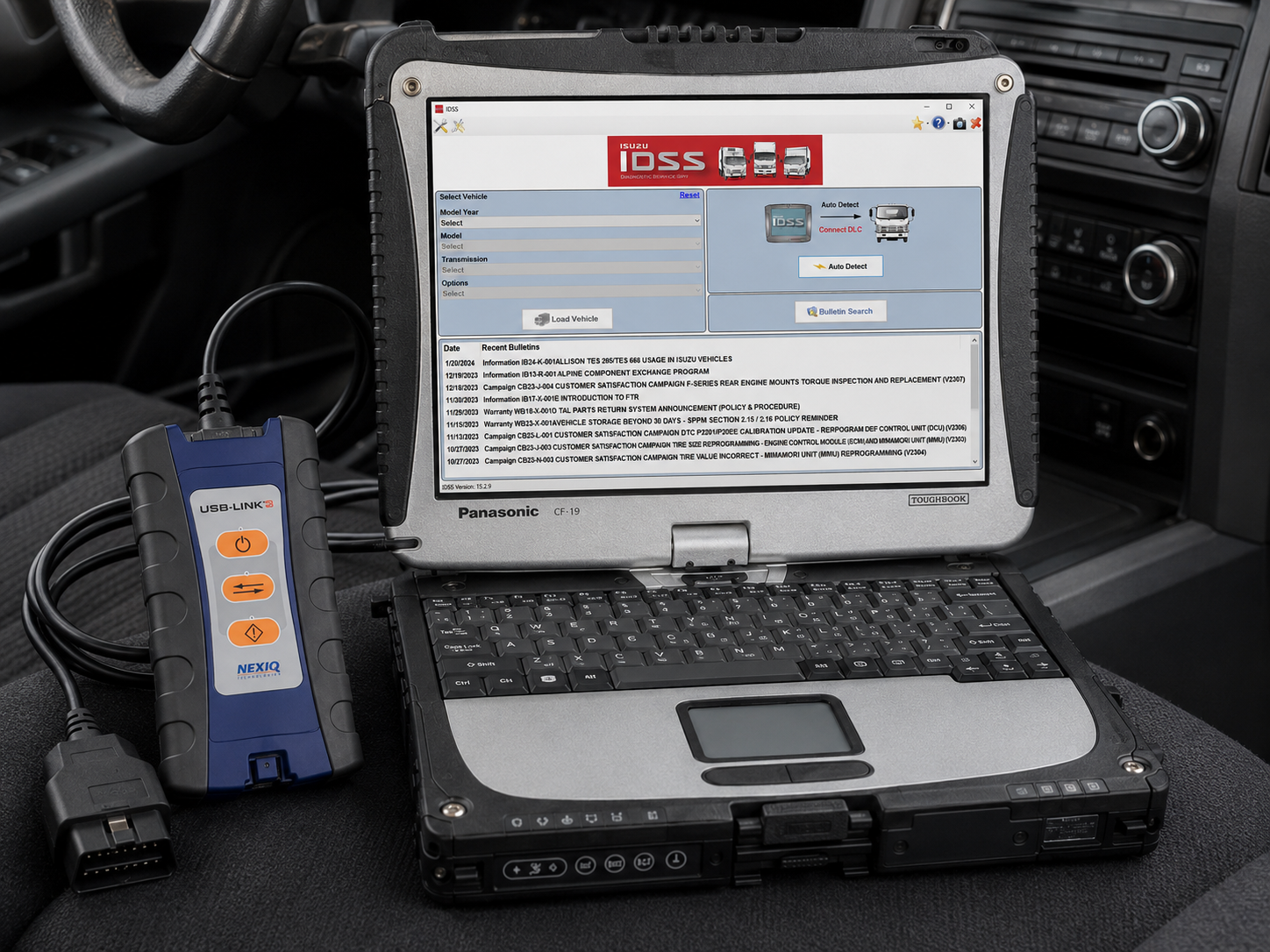
Isuzu IDSS Diagnostic Laptop Scanner
Pre-Installed and Ready to Use on a Panasonic Toughbook CF-19 with 8GB RAM
This Isuzu IDSS diagnostic laptop package is a complete PC-based diagnostic and service solution designed for professional diesel technicians, independent repair shops, fleet maintenance departments, mobile mechanics, and businesses that service Isuzu commercial trucks.
The Panasonic Toughbook CF-19 is configured with the Isuzu Diagnostic Service System, commonly called IDSS, along with the required vehicle-interface drivers and communication settings. The laptop and supplied diagnostic adapter are configured and tested together before shipping, helping eliminate the software-installation, driver, and communication problems commonly encountered when purchasing each component separately.
IDSS is Isuzu’s all-in-one diagnostic platform for the diagnosis and repair of compatible Isuzu commercial vehicles. The official Isuzu system combines a full-featured scan tool with service information, electrical troubleshooting manuals, wiring diagrams, service programming, technical bulletins, and other repair resources in one application.
Vehicle Compatibility
Designed for compatible U.S.- and Canadian-specification Isuzu commercial vehicles from model year 1996 through current supported models. Isuzu’s official product information states that the North American IDSS system supports 1996-to-current Isuzu commercial vehicles, while passenger-vehicle coverage is handled separately.
Compatible Isuzu truck families may include:
Isuzu N-Series
- NPR
- NPR-HD
- NPR-XD
- NQR
- NRR
- N-Series EV
- N-Series gasoline models
- N-Series diesel models
- N-Series crew-cab models
- N-Series stripped chassis
Isuzu F-Series
- FTR
- FVR
- FSR
- F-Series diesel models
- F-Series gasoline models
- F-Series commercial chassis
Additional Supported Isuzu Platforms
Depending on the year and market, coverage may also include:
- W-Series
- T-Series
- C-Series
- H-Series
- Stripped chassis
- Forward-control commercial trucks
- Isuzu-manufactured commercial vehicles
- Select gasoline-powered Isuzu commercial trucks
- Select diesel-powered Isuzu commercial trucks
Exact coverage depends on the truck’s model year, engine, transmission, emissions configuration, installed control modules, software version, and regional specification.
Supported Engine Applications
Depending on vehicle year and configuration, IDSS may support Isuzu commercial-truck applications equipped with engines such as:
- 4JJ1 diesel
- 4HK1 diesel
- 4HE1 diesel
- 6HK1 diesel
- 5.7L gasoline
- 6.0L gasoline
- 6.6L gasoline
- Select alternative-fuel applications
- Select hybrid commercial-truck applications
Engine and module coverage must be confirmed by model, year, VIN, and powertrain configuration.
Complete Vehicle Diagnostics
IDSS can communicate directly with compatible Isuzu electronic control systems to perform complete vehicle diagnosis.
Available functions may include:
- Automatic vehicle identification
- Manual vehicle selection
- Complete system scanning
- Read current diagnostic trouble codes
- Read stored or historical trouble codes
- Clear diagnostic trouble codes
- Display manufacturer-specific fault descriptions
- View freeze-frame information
- Check ECU communication status
- View ECU identification information
- View software and calibration numbers
- Monitor vehicle network communication
- Save diagnostic-session information
- Generate diagnostic reports
- Access guided troubleshooting procedures
Electronic System Coverage
Depending on the truck, IDSS may provide access to systems including:
- Engine control module
- Transmission control module
- Aftertreatment control system
- Diesel particulate filter system
- Selective catalytic reduction system
- Diesel exhaust fluid system
- ABS and brake-control system
- Body control module
- Instrument cluster
- Vehicle control module
- Immobilizer-related systems where authorized
- Allison transmission systems
- Aisin transmission systems
- Automated manual transmission systems
- Chassis control systems
- Exhaust-brake systems
- Cruise-control systems
- Air-conditioning systems
- Emissions-control systems
- Fuel-system control modules
- Additional truck-specific control modules
Available systems depend on the vehicle’s equipment and model year.
Manufacturer-Specific Fault-Code Diagnosis
Unlike a generic OBD-II code reader, IDSS can display Isuzu-specific fault information and diagnostic procedures.
Technicians may be able to:
- Read engine DTCs
- Read transmission DTCs
- Read aftertreatment and emissions DTCs
- Read ABS and chassis DTCs
- View current and historical faults
- Display detailed fault-code descriptions
- View related freeze-frame information
- Access diagnostic trees
- Access connector and pin information
- Access component locations
- Follow step-by-step troubleshooting
- Clear fault codes after repairs
- Verify whether a fault returns
Live Data Monitoring
IDSS can display live data from compatible sensors, switches, actuators, and control modules.
Live-data parameters may include:
- Engine speed
- Engine coolant temperature
- Intake-air temperature
- Boost pressure
- Fuel-rail pressure
- Injector information
- Accelerator-pedal position
- Throttle position
- Engine load
- Vehicle speed
- Transmission temperature
- Selected gear
- Battery voltage
- Exhaust-gas temperatures
- DPF soot-load estimates
- DPF differential pressure
- Regeneration status
- Diesel exhaust fluid level
- DEF quality information
- NOx sensor readings
- SCR operating data
- EGR-command information
- Turbocharger information
- Brake-switch status
- Additional Isuzu-specific parameters
Data Recording and Graphing
IDSS can assist with intermittent-problem diagnosis by recording and reviewing operating data.
Depending on the vehicle and control module, the software may allow technicians to:
- Select individual data parameters
- View multiple parameters simultaneously
- Graph live sensor readings
- Record data during a road test
- Save vehicle data to the laptop
- Review recorded operating conditions
- Capture ECM history information
- Compare commanded and actual values
- Review data before and after a fault occurs
- Save information for later troubleshooting
Bi-Directional Controls and Output Tests
IDSS supports bi-directional testing of compatible components. This allows a technician to command a system from the laptop and verify operation without manually activating the component.
Available tests may include:
- Command engine cooling fans
- Operate fuel-system components
- Activate relays and solenoids
- Command the EGR valve
- Test turbocharger control
- Operate intake-throttle components
- Command exhaust-brake operation
- Test warning lamps
- Operate transmission solenoids
- Perform injector cutout tests
- Test individual cylinders
- Command aftertreatment components
- Operate DEF-system components
- Test additional vehicle outputs
The exact tests available depend on the selected module and vehicle configuration.
DPF Regeneration and Aftertreatment Service
IDSS provides important service functions for Isuzu diesel aftertreatment systems.
Supported procedures may include:
- Stationary forced DPF regeneration
- Parked regeneration
- DPF service regeneration
- Regeneration-condition monitoring
- DPF soot-load inspection
- DPF differential-pressure monitoring
- Exhaust-temperature monitoring
- DPF replacement reset
- DPF data reset
- Aftertreatment-system inspection
- Diesel exhaust fluid system diagnosis
- SCR-system diagnosis
- NOx sensor diagnosis
- DEF-related reset procedures
- Emissions-system relearn procedures
Regeneration should only be performed by a trained technician in a safe, properly ventilated location and only after confirming that all required preconditions are met.
Injector Programming and Fuel-System Functions
IDSS may support injector and fuel-system procedures including:
- Read current injector ID codes
- Program replacement injector codes
- Enter injector flow-rate information
- Modify injector calibration values
- Injector cutout testing
- Cylinder balance testing
- Fuel-pressure monitoring
- Fuel-system relearn procedures
- Fuel-system service functions
- ECM history-data retrieval
The IDSS user documentation describes a dedicated Injector ID Code function that reads current injector codes and allows replacement injector flow-rate values to be entered and programmed into the ECM.
Service Resets and Relearn Procedures
Available utility functions may include:
- Engine oil-life reset
- Maintenance reminder reset
- Injector programming
- Injector relearn
- Fuel-system relearn
- Transmission relearn
- Clutch learning procedures
- Idle-speed learning
- Accelerator-pedal relearn
- Throttle relearn
- DPF replacement reset
- Aftertreatment reset
- Differential-pressure sensor reset
- Turbocharger actuator learning
- EGR learning procedures
- Vehicle-speed parameter setup
- Module replacement procedures
- ECM setup procedures
- Additional model-specific utility functions
Not every function is available on every truck.
ECU Programming and Reflashing
IDSS supports programming and reflashing of compatible Isuzu control modules when the proper subscription, authorization, calibration files, and supported interface are available.
Programming functions may include:
- ECM calibration updates
- Replacement ECM programming
- Automatic calibration selection
- Part-number-based reflash
- Transmission-module programming
- Aftertreatment-controller programming
- Module software updates
- Calibration installation
- On-vehicle ECM programming
- Off-vehicle or bench ECM programming where supported
Official Isuzu information states that vehicle calibrations must be accessed and programmed using IDSS. The IDSS subscription also provides periodic web updates that add models, functions, and programming capabilities.
Programming access may require permission from Isuzu Motors. The IDSS user guide also states that programming should only be started after clearing applicable DTCs and following the correct power and connection procedures.
Built-In Service Information
A major advantage of IDSS is that it combines diagnostic functions with repair information.
Depending on the subscription and installed content, the system may include:
- Electronic troubleshooting manuals
- Electrical wiring diagrams
- Connector views
- Pin assignments
- Component locations
- Diagnostic procedures
- Removal and installation information
- Technical Service Bulletins
- Service campaigns
- Specifications
- Repair instructions
- Diagnostic flowcharts
- Training materials
- Programming information
Isuzu describes IDSS as an all-in-one system containing service information, an electronic troubleshooting manual, wiring diagrams, a full-featured scan tool, programming, and bulletins.
Technical Bulletins and Campaign Information
Where included and available, IDSS may provide access to:
- Technical Service Bulletins
- Service campaigns
- Product updates
- Diagnostic notices
- Programming instructions
- Known-problem information
- Updated repair procedures
- Model-specific service information
These resources help technicians connect a fault code or customer complaint with the correct Isuzu repair procedure.
Vehicle Interface
The included vehicle interface acts as the communication bridge between the Isuzu truck and the Panasonic Toughbook.
The interface:
- Connects to the truck diagnostic connector
- Connects to the laptop through USB
- Transfers diagnostic information between the vehicle and IDSS
- Supports compatible Isuzu communication protocols
- Supports system scanning
- Supports live data
- Supports bi-directional testing
- Supports service procedures
- Supports programming where properly authorized
The official IDSS package is designed to operate with the Isuzu IDSS interface module and includes the interface, USB cable, and vehicle DLC cable.
Supported Communication Protocols
Depending on the interface and vehicle, supported protocols may include:
- SAE J1939
- SAE J1708
- CAN
- ISO 15765
- ISO 9141
- KWP2000
- J1850 VPW
- J1850 PWM
- LIN
- NRZ
- Additional Isuzu-specific communication protocols
Protocol support depends on the supplied interface, installed drivers, vehicle year, and control module.
Why Choose the Complete Laptop Package?
Purchasing IDSS software, a laptop, and a communication interface separately can lead to:
- Software-installation failures
- Incorrect interface drivers
- Interface-detection problems
- Windows configuration issues
- Communication errors
- Missing service-information components
- Incorrect vehicle-interface settings
- Programming incompatibility
This complete package helps eliminate those initial setup problems.
✔ Isuzu IDSS software installed
✔ Communication drivers configured
✔ Laptop and interface tested together
✔ Rugged Panasonic Toughbook included
✔ Diagnostic cable and USB connection included
✔ Ready for initial truck diagnostics
✔ No need to assemble separate components
Panasonic Toughbook CF-19 Specifications
Panasonic Toughbook CF-19 — Refurbished/Used
- Processor: Intel Core i5
- Memory: 8GB RAM
- Display: 10.4-inch touchscreen
- Screen: Sunlight-readable
- Design: Convertible laptop and tablet
- Construction: Fully rugged
- Condition: Refurbished or used
- Functionality: Fully tested
- Diagnostic software: Isuzu IDSS installed
- Intended use: Repair shops, fleets, roadside service, and mobile diagnostics
The laptop may show normal cosmetic wear from previous use, including scratches, scuffs, marks, worn paint, or other signs of use. Cosmetic wear does not affect its tested functionality.
Package Contents
✔ 1 × Panasonic Toughbook CF-19
✔ 1 × Isuzu-compatible diagnostic interface
✔ 1 × Vehicle diagnostic cable
✔ 1 × USB communication cable
✔ 1 × Compatible Toughbook AC charger
✔ Isuzu IDSS diagnostic software configuration
✔ Required vehicle-interface drivers
Important Programming Notice
Control-module programming should only be performed by trained technicians.
Before programming:
- Connect a regulated battery-maintenance power supply
- Keep the Toughbook connected to AC power
- Disable sleep and hibernation
- Confirm the correct vehicle and engine
- Confirm the current ECM part number
- Clear applicable diagnostic trouble codes
- Use a stable wired connection
- Do not disconnect the diagnostic interface
- Do not interrupt vehicle power
- Follow all IDSS on-screen instructions
- Confirm that programming authorization is available
An interrupted programming event can corrupt a controller and may prevent the vehicle from starting.
Subscription and Online Access Notice
An active official IDSS subscription may be required for:
- Software registration
- Periodic software updates
- New model coverage
- New diagnostic functionality
- Interface firmware updates
- Programming access
- Calibration availability
- Online technical information
- Technical support
Isuzu’s official IDSS package includes subscription-based updates, and subscriptions may be extended in six-month intervals.
Subscriptions, manufacturer accounts, programming permissions, key codes, online credentials, and calibration access are not included unless specifically stated in the product listing.
Important Notes
- Designed for U.S.- and Canadian-specification Isuzu commercial vehicles.
- Coverage begins with model year 1996.
- This North American system is not intended as a complete Isuzu passenger-vehicle diagnostic package.
- Exact coverage varies by model, year, engine, transmission, emissions system, and control module.
- Some programming and online functions require an active subscription and authorization.
- Key codes are not provided through the standard Isuzu Truck Service website and require proper credentials through Isuzu.
- Use a vehicle battery-maintenance power supply during programming.
- Do not interrupt communication during module programming.
- DPF regeneration must be performed in a safe and properly ventilated area.
- This equipment is intended for trained professional technicians.
- Isuzu and IDSS names are used only to identify vehicle and software compatibility.
- This package is not manufactured, sponsored, or endorsed by Isuzu Motors unless explicitly stated.
Complete Isuzu Commercial-Truck Diagnostic Solution
This Isuzu IDSS diagnostic laptop package combines a rugged Panasonic Toughbook, professionally configured diagnostic software, a vehicle communication interface, and the required connection cables in one convenient system.
Connect the interface to the truck, connect it to the Toughbook, launch IDSS, identify the vehicle, and begin performing compatible system scans, fault-code diagnosis, live-data monitoring, output tests, forced DPF regenerations, injector programming, service resets, guided troubleshooting, and supported ECU programming.